Product News
November 3, 2026
Ally Product Pulse

# Accessibility
November 2026 Edition

Katie Grennell, PhD.
Ally Product Pulse: November 2026 Edition 🍂
Welcome to the November edition of the Ally Product Pulse. This is a month for gratitude, and we have a lot to be thankful for: a community that keeps showing up, a growing Ally in Practice series, and the biggest accessibility day of our year, just around the corner. Fix Your Content Day 2026 is Tuesday, November 10th, and the Digital Teaching Symposium follows on November 19th. Grab a warm drink and let's dig in.
Inside this month's issue
- Topic Spotlight: Fix Your Content Day 2026
- Now Available: AI Alt Text Assistant for Images in PDFs
- Coming Soon: Ally Enhanced Reader
- Ally in Practice Session 2 Recap
- New Content
- Upcoming Events
- Did You Know?
Topic Spotlight: Fix your Content Day 2026
Fix Your Content Day is Tuesday, November 10th, and there's still time to register! For its seventh year, institutions around the world will spend 24 hours making their digital course content more accessible with Blackboard Ally, racing up a live global leaderboard with every fix.
Getting ready this week? A few ways to set your team up for a strong day:
- Register your institution on the Fix Your Content Day 2026 registration page if you haven't already. The registration window ends on Friday, November 6th so be sure to sign up asap.
- Rally your people. The Fix Your Content Day Communications Pack has everything you need to spread the word on your campus, including messaging templates for instructors and staff, a ready-to-use social media campaign, and more.
- Start with quick wins. Alternative text for images, heading structure, and color contrast are fast fixes that add up. The Course Accessibility Report is a great place to spot them.
- Put PDF Quick Fixes to work. PDFs don't have to be the hard part anymore. With Ally's PDF Quick Fixes, instructors can remediate common PDF issues inline, without leaving the course or re-uploading the file. The newest Quick Fix, AI alt text for images in PDFs (more on that below), makes one of the most common PDF fixes faster than ever.
- Turn up the volume. Interested in song parodies to motivate your instructors? We made you a mixtape (sort of). Fix Your Content Day: The Greatest Hits is a set of four posters with chart-topping tracks like "Oops, I Fixed It Again" and "Don't Stop Fixin'." No musical talent required. Hang them in the faculty lounge, drop them in your newsletter, or give them top billing at your fix-a-thon. Get the posters in Fix Your Content Day 2026: The Greatest Hits .
We'll share results and highlights in the December Pulse. Good luck, and happy fixing.
Now Available: AI Alt Text Assistant for Images in PDFs
Alt text for images in PDFs just got a lot easier. Ally's AI Alt Text Assistant now works on images inside PDF documents, so instructors can add descriptions right in Ally's instructor feedback instead of opening the file in another tool and re-uploading it. It works the same way you already know from standalone images and images embedded in WYSIWYG content. Read more our newest PDF quick fix at PDF Image Alt Text Quick Fix Release Notes .
Remember that the AI gives you a head start, but you stay in control. Every description is just a suggestion: you can edit it, rewrite it in your own words, or start fresh, and nothing is added to the PDF until you review and save it.
With Fix Your Content Day on November 10th, now is the perfect time to share this with instructors. Read more about our newest PDF Quick Fix in the PDF Image Alt Text Quick Fix release notes , or visit the AI Alt Text Assistant help page for a refresher on how it works.
Coming Soon: Ally Enhanced Reader
Ally's new alternative format is about to drop! The Ally Enhanced Reader will be released in Ally’s next batch of release notes, 2.21, and it's built around three ideas: focus, comfort, and control.
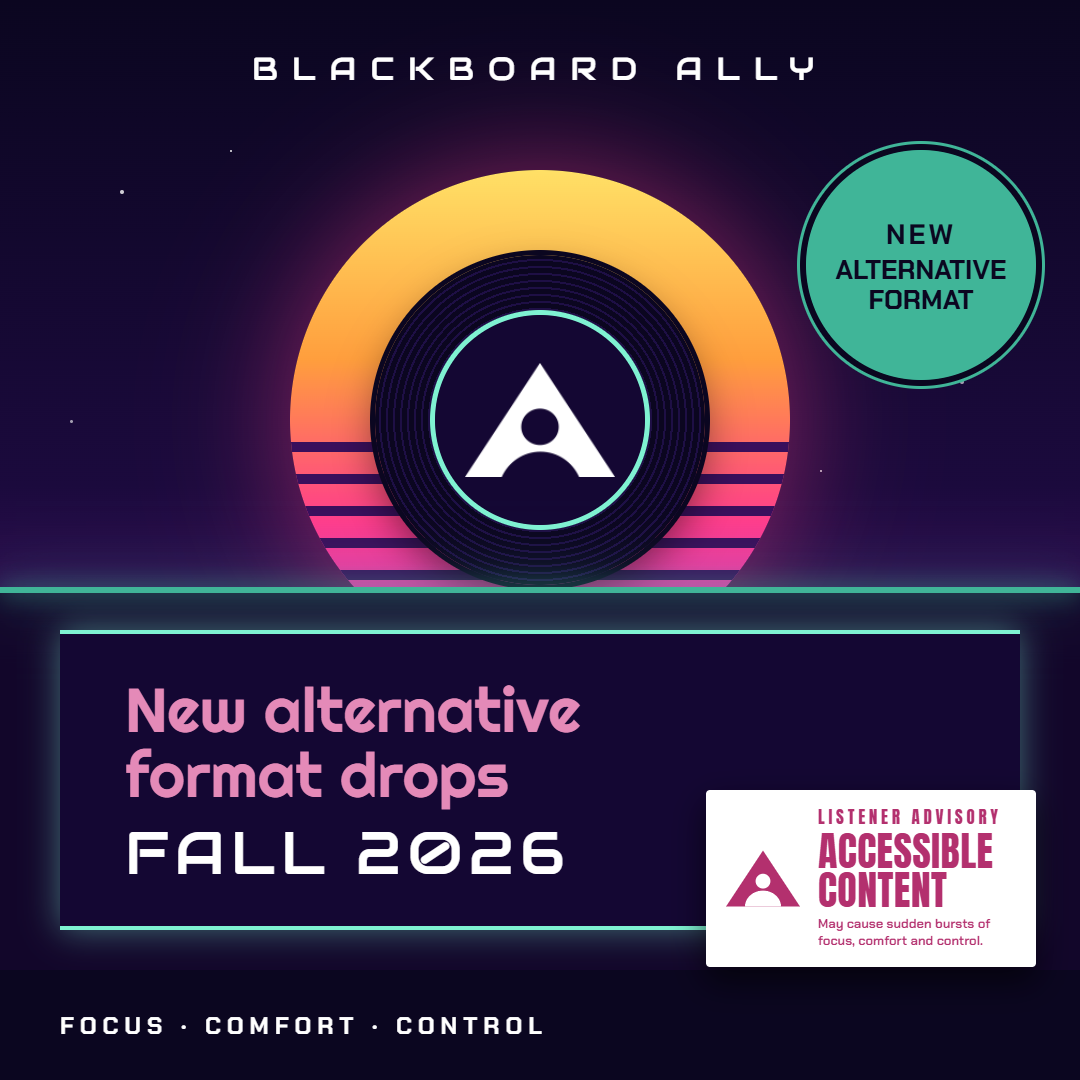
"New alternative format drops Fall 2026" cover with the listener advisory sticker
With Enhanced Reader, students don't have to adapt to how a file was formatted. They can adjust the text, colors, and reading aids to fit how they focus and read best, then take their readings offline with every setting intact. Keep an eye on the Ally Release Notes for the official drop!
Ally in Practice-Session 2
Thank you to everyone who joined us on October 20th for our second session of Ally in Practice: An Administrator's Guide to Institutional Reporting and Remediation Prioritization. We looked at how administrators can use Ally's institutional reporting to spot trends, decide where remediation will have the most impact, and drive accessibility improvements at scale.
Missed it, or want a refresher? Check out the October 20th 2026 Ally in Practice Recap, Recording & Slide Deck for the highlights and full session.
Our next session, Promoting Alternative Formats to Students is coming up on Monday, November 16th. Details are in the Upcoming Events section. Ally in Practice is shaped by you, so keep the ideas coming through the Help Shape Future Ally in Practice Sessions form.
New Content
- Ally Release Notes : Check out the latest enhancements, refinements, bug fixes, and our newest release, AI Alt text assistant for images embedded in PDFs!
- On Being Asked blog post: A new blog for National Disability Employment Awareness Month (NDEAM) about moving from awareness to understanding, and how inclusion is built in everyday moments between colleagues.
- Communication and Adoption Toolkit : the toolkit keeps growing, and more content is on the way, including a new section of instructor tips and tricks coming soon. In the meantime, catch up on last month's addition: Promoting Alternative Formats to Students.
Upcoming Events
- Ally Office Hours: our next office hours will be held on Monday, November 9th at 11:00 am EST. Register on the Ally Office Hours registration page , and submit your questions in advance so we can come prepared: Ally Office Hours – Submit Your Question (form) .
- Digital Teaching Symposium: join educators from around the world on Thursday, November 19th, for the tenth annual Digital Teaching Symposium, a free virtual event for higher education faculty. This year's theme, Reach, Teach & Demonstrate, explores how to reach every learner, teach well in a changing world, and show the impact of that work. Sessions run in English and Spanish across major time zones. Sign up on the Digital Teaching Symposium 2026 registration page .
- Ally in Practice: Promoting Alternative Formats to Students
- Date: Monday, November 16th
Did you Know?

Did you know Ally's new Features Configuration page shows you which features are enabled in your Ally configuration, organized by feature? This month, we're zooming in in on one in particular: the AI Alt Text Assistant, which has a detail worth a closer look now that the PDF Quick is here. The AI Alt Text Assistant setting at the very top of the page is the main switch. When it's on, the assistant is available for all images: standalone images, images in WYSIWYG content, and images in PDFs.
For PDFs, there's an extra layer of control. Institutions can choose separately whether instructors can add alternative descriptions and decorative flags to images in PDFs. So if the main switch is on but these PDF settings are off, instructors won't see the new PDF image options.
If you want instructors to have the full experience in time for Fix Your Content Day, check that both the main switch and the PDF settings are turned on. Visit our Configure Ally-Feature Flags help page.
🍂Like the leaves this season, inaccessible content is about to fall. Happy Fix Your Content Day, and thanks for all you do!
Comments (0)
Popular

Dive in